Try Pinterest — Pins measured for thumbnail readability, pin SEO and board covers now, no sign-up needed
Pinterest — Pins measured for thumbnail readability, pin SEO and board covers · Pins that are legible at thumbnail size
For anyone driving traffic to their blog or shop from Pinterest: the pin comes out vertical 2:3 at 1000×1500 with the headline measured on a real thumbnail, plus the title, description, and alt text that determine whether someone finds it.
In the features that use AI, responses are generated by artificial intelligence and are not a substitute for professional advice.
העבודה שלכם חיה בגיליונות אלקטרוניים שאף אחד כבר לא מצליח לתחזק?
BaseTable מכניסה סדר לבלגן הזה: שדות עם סוג אמיתי, טבלאות שמתקשרות זו לזו ואותו מידע שנראה כגריד, קנבן, לוח שנה או טופס. בלי לשכפל נתונים ובלי לכתוב שורת קוד.
See the tools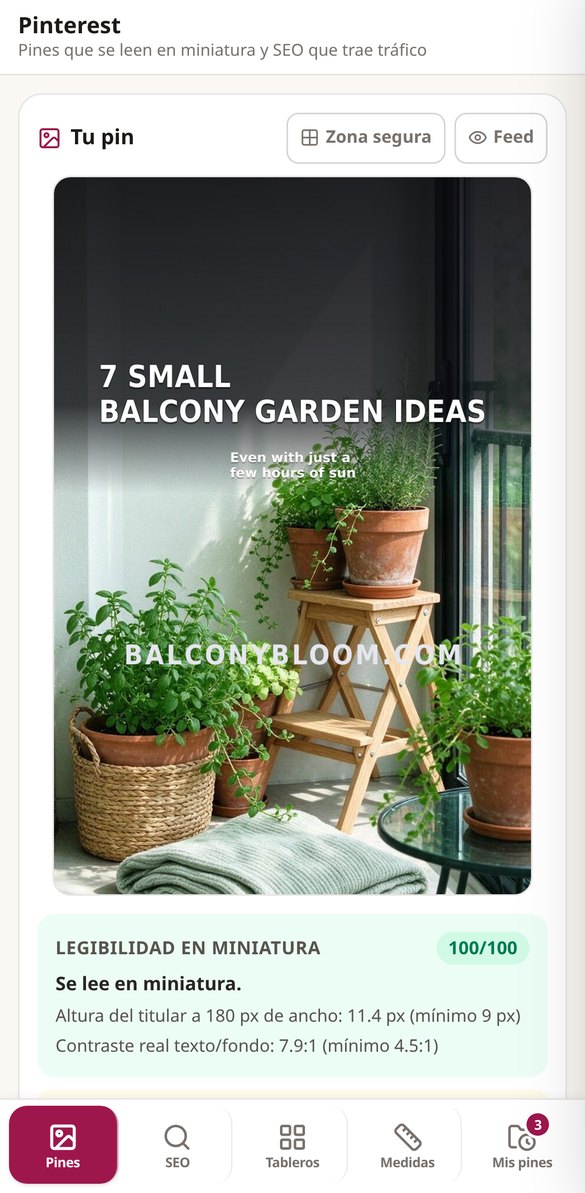
Discover every feature in detail
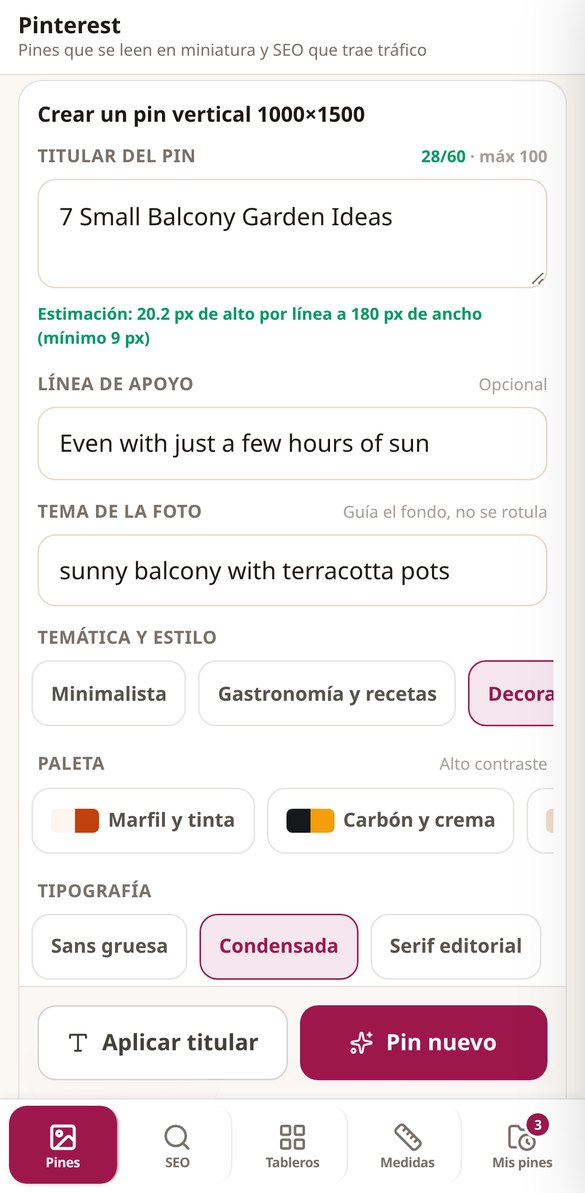
Create 1000×1500 px Pinterest pins: 2:3 pin studio
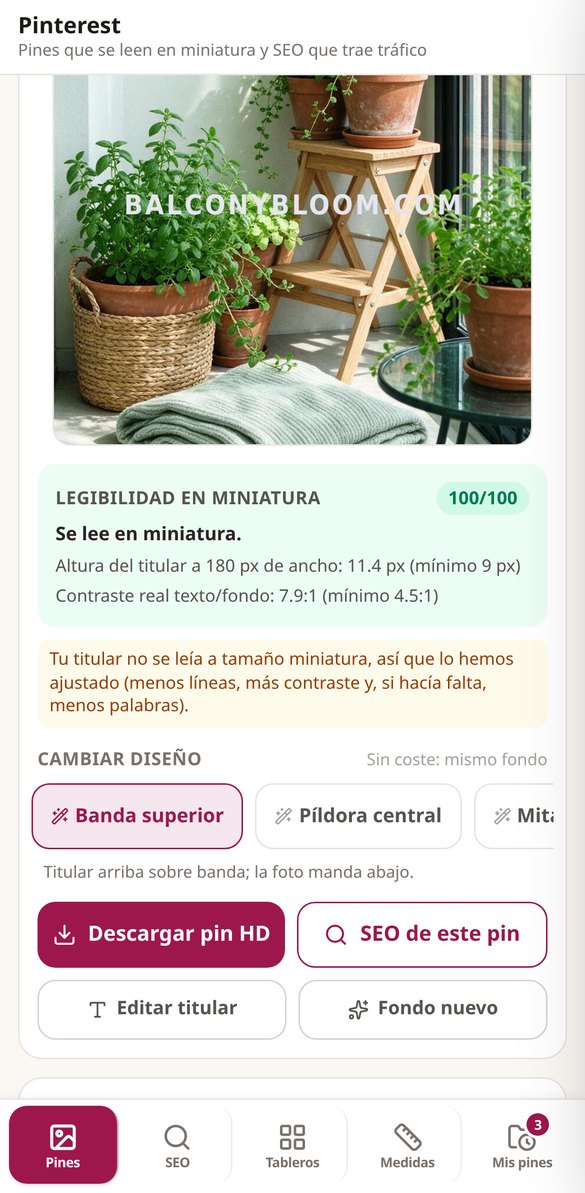
Create exact 2:3 vertical pins of 1000×1500 px: the AI paints the background and the server composes the headline with real fonts and measures it to thumbnail size. First pin without registration.
Try it free
Multiple pins with the same background: 4 layouts at no AI cost
Create multiple distinct pins for the same content by reusing a single background: 4 layouts for the overlay, palette, and typography recomposed on the server at zero AI cost. No registration required.
Try it free
Readability of pins in thumbnails: audit at 180 px and contrast
Check if your pin's headline is readable in the mobile feed: we measure the letter height at 180 px and the actual WCAG contrast text/background, with a score from 0 to 100. No registration required.
Try it free
Pinterest Feed and Safe Zones Simulator for 1000×1500 Pin
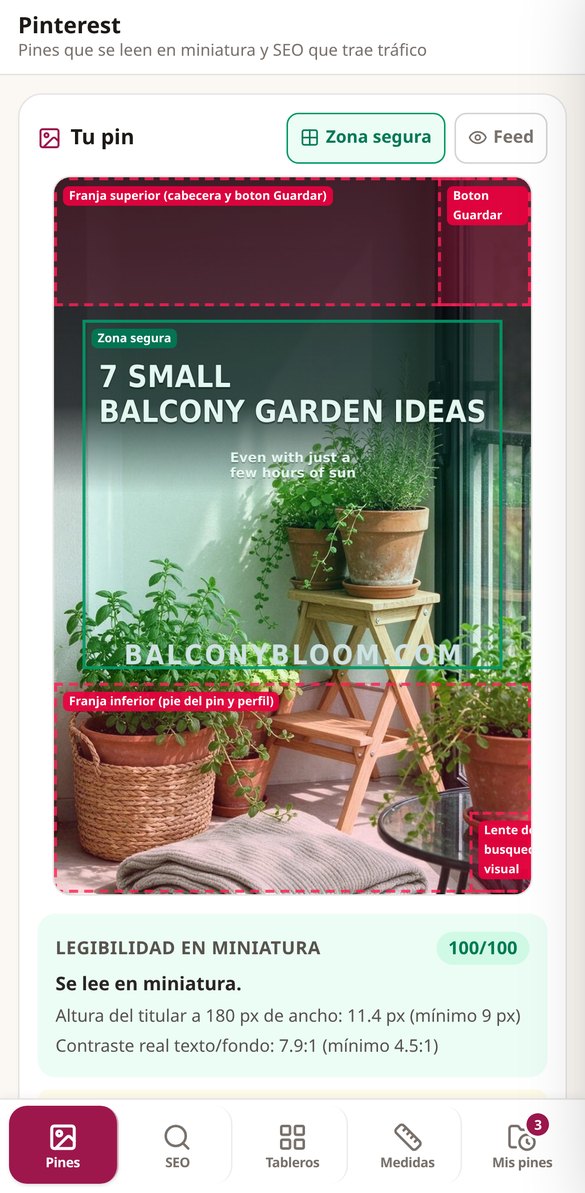
See your pin in a replica of the two-column mobile feed and overlay the four zones covered by the interface (Save, lens, stripes) on the 1000×1500 base. Free and no AI cost.
Try it free
Pin SEO: title, description, and alt text with AI
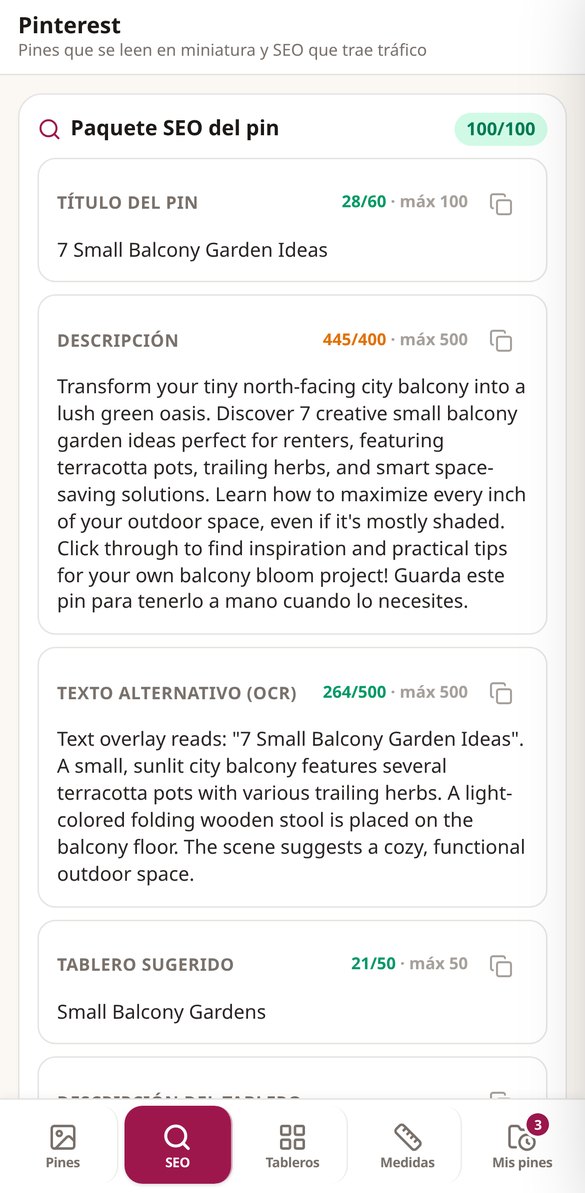
Generate your pin's title, description, alt text, and keywords with AI: keyword at the beginning and character limits respected. No registration.
Try it free
Board covers for Pinterest: Free PNG 1000x1000
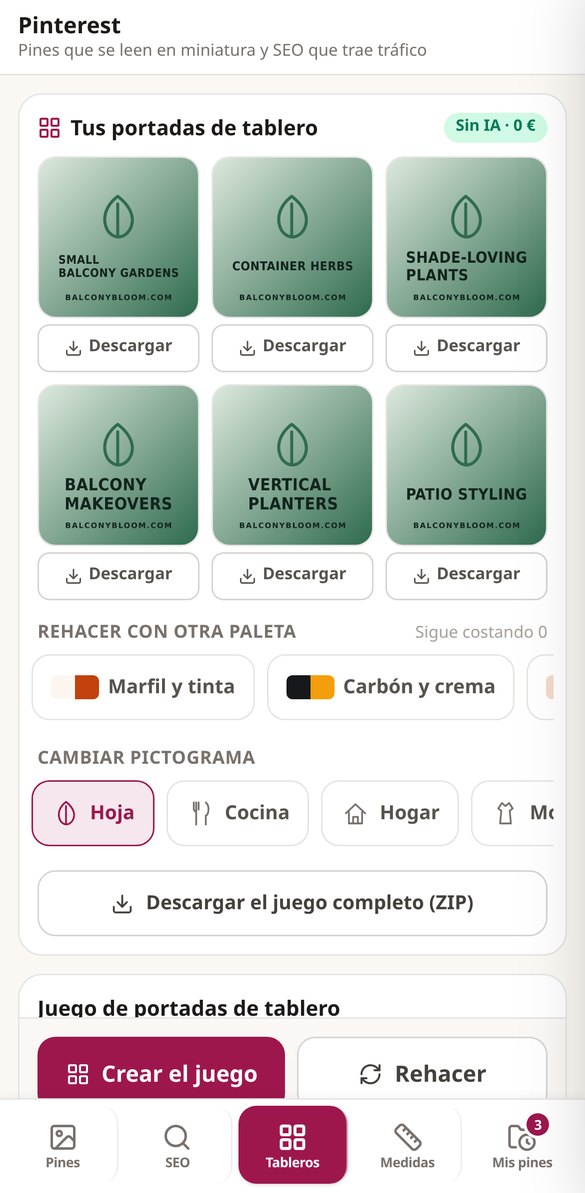
Create square board covers of 1000x1000 px with the same pictogram and palette across all your boards. No AI, free, and remakable. No registration.
Try it free
Pinterest Pin template 1000x1500 with safe areas (free PNG)
Download a PNG template in the exact size of the pin —1000×1500, 1000×1000, or 1000×2100— with the safe areas outlined, rule-of-thirds grid, and character limits. Free, no registration.
Try it freeThree tools, one AI background per pin
שלושה מרכיבים שהופכים טבלה רגילה למערכת בהתאמה אישית.
Pin studio with measured, not estimated, legibility
Describe the topic and the headline, and the app delivers the vertical pin 1000×1500 (2:3) in JPEG, with the lettering composed by the server over a background generated for that pin. There are 8 background styles, 8 palettes, 4 fonts, and 4 layouts, and the headline allows up to 100 characters with a warning as soon as you go over 60. One background per pin: all the layouts, palettes, and fonts you try afterward are recomposed over that same background and cost zero. The legibility badge isn't decoration: it comes from rendering the pin at 180 px wide and measuring the ink and contrast there.
Pin SEO pack, consistent with what you see
Six fields and their labels: title, description, alt text, board name and description, and between 6 and 8 keywords, each with its character limit and recommended length visible. They are keywords to write in the text, not hashtags. It also checks the triad: that the pin lettering, title, and alt text say the same thing, which is exactly what determines whether a pin brings visits or gets buried.
Board covers, safe zones, and templates, without AI
The board cover set comes out as a 1000×1000 PNG with your palette and one of the 12 custom-designed pictograms, and leaves your profile reading like a brand: up to 3 covers as a guest and 9 with an account, always at zero cost. In Measurements you have the canvas table, the legibility calculator with the same rule the server uses, your palette's contrast, the 4 safe zones — the bottom strip is covered by the pin footer in the feed — and the downloadable PNG template for designing in your own tool. Each measurement is shown with its date and marked “unverified” until someone has checked it against the network: we'd rather say so than give you false data.
From idea to pin in three steps
הירשמו
צרו חשבון חינם ופתחו את BaseTable מהדפדפן.
מביאים את הנתונים
התחילו מאפס, ייבאו CSV או הביאו את הבסיסים שלכם מ-Airtable עם הטבלאות, השדות והקבצים המצורפים שלהם.
בוחרים איך לראות
הוסיפו את התצוגות שתצטרכו ושתפו כל בסיס עם הצוות, עם ההרשאה המדויקת.
Frequently Asked Questions
Latest blog articles
Guides and news to get more out of it
Gift Guides and Compare on Pinterest: How to Prepare Your Pins for Christmas 2026
Pinterest launched Compare, wish lists, and gift guide boards on Nov 12, 2026: what changes for your product pins and how to prepare them now.
Pinterest and AI Images: What Changes from November 12, 2026, and How to Post Without Being Labeled (or Suspended)
Starting November 12, 2026, Pinterest makes its generative AI rules contractual: when the 'modified with AI' label appears and what could cost you your account.
Make your next pin with the thumbnail in mind
צרו את הבסיס הראשון שלכם תוך דקות, בחינם ומהדפדפן.